MAE 5190 - Fast Robots — Maia Hirsch
Hello! My name is Maia Hirsch, and I’m a PhD student in Robotics at Cornell University with a background in Mechanical Engineering. My main interests are robotics, actuation, sensing, and human–robot interaction. In my free time, I enjoy exploring creative projects that combine engineering and design. You can check out my insta @maiahirschlab to see all the cool things I make.
Lab 11: Localization on the real robot
Task 1: Test Localization in Simulation
I verified by Bayes filter implementation by running `lab11_sim.ipynb. Below is a screenshot of the final plot including odom, ground truth and belief.
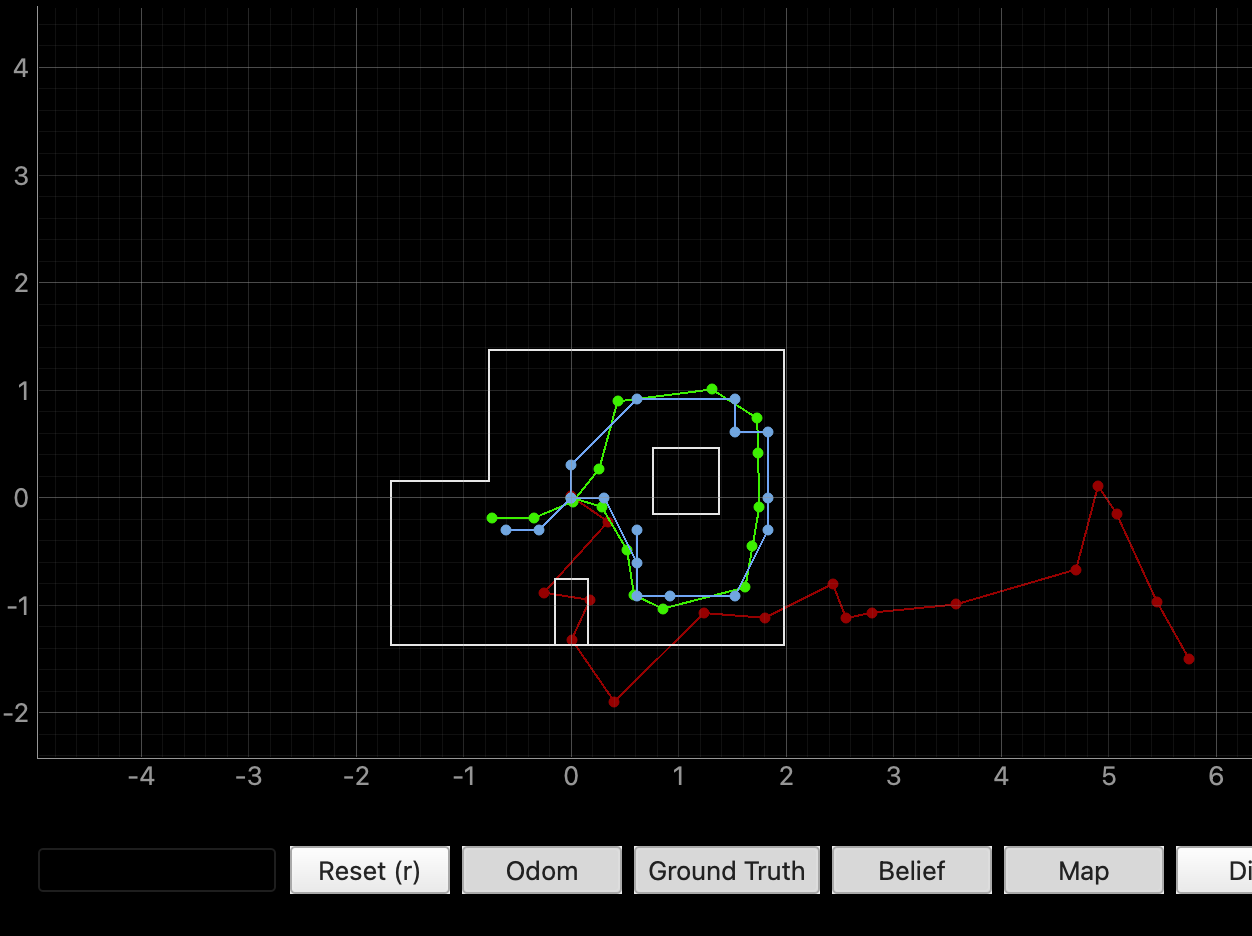
This looks very similar to my results obtained in lab 10:
Task 2.1: implement perform_observation_loop
To perform localization on the real robot, I implemented perform_observation_loop() in the RealRobot class. The function sends a START_MAPPING command I used in lab 9 over BLE, which triggers my existing orientation PID scan routine. The robot rotates in place, settling at each step before taking 5 averaged ToF readings from the front sensor. Then I request the data with SEND_MAPPING_DATA and collect distance readings which are returned as a numpy column array in meters.
I initially configured 18 steps at 20°. However, after getting poor localization results at the (-3,-2) pose, I tried increasing the resolution to 36 steps at 10° increments, hoping that more readings would give the Bayes filter more information to worth with. This did not solve the problem. I will discuss more in the results section.
    def perform_observation_loop(self, rot_vel=120):
        """Perform the observation loop behavior on the real robot, where the robot does
        a 360 degree turn in place while collecting equidistant (in the angular space) sensor
        readings, with the first sensor reading taken at the robot's current heading.
        The number of sensor readings depends on "observations_count"(=18) defined in world.yaml.

        Keyword arguments:
            rot_vel -- (Optional) Angular Velocity for loop (degrees/second)
                        Do not remove this parameter from the function definition, even if you don't use it.
        Returns:
            sensor_ranges   -- A column numpy array of the range values (meters)
            sensor_bearings -- A column numpy array of the bearings at which the sensor readings were taken (degrees)
                               The bearing values are not used in the Localization module, so you may return a empty numpy array
        """

        self._data_buffer = []
        self._mapping_done = False

        def notify_handler(uuid, byte_array):
            msg = ble.bytearray_to_string(byte_array)
            if msg.startswith("Mapping done"):
                self._mapping_done = True
            elif msg.startswith("Y:"):
                try:
                    parts = msg.split(",")
                    yaw   = float(parts[0].split(":")[1])
                    dist  = float(parts[1].split(":")[1])  # front sensor, mm
                    self._data_buffer.append((yaw, dist))
                except Exception as e:
                    LOG.warning(f"Bad msg: {msg} | {e}")

        ble.start_notify(ble.uuid['RX_STRING'], notify_handler)

        ble.send_command(CMD.ENABLE_MOTORS, "")
        # orient gains first
        ble.send_command(CMD.SET_ORIENT_GAINS, "3.0|0.0|0.3")
        time.sleep(0.5)
        ble.send_command(CMD.START_MAPPING, "")

        # wait for scan to finish
        t0 = time.time()
        while not self._mapping_done and (time.time() - t0) < 90:
            time.sleep(0.25)
        LOG.info(f"Scan done in {time.time()-t0:.1f}s, requesting data...")

        # request data
        ble.send_command(CMD.SEND_MAPPING_DATA, "")
        t1 = time.time()
        while len(self._data_buffer) < self.num_steps and (time.time() - t1) < 10:
            time.sleep(0.1)

        ble.stop_notify(ble.uuid['RX_STRING'])
        LOG.info(f"Got {len(self._data_buffer)} readings")

        # output arrays
        dists = np.array([d[1] for d in self._data_buffer]) / 1000.0  # mm -> m
        yaws  = np.array([d[0] for d in self._data_buffer])           # degrees

        return dists[np.newaxis].T, yaws[np.newaxis].T
Results
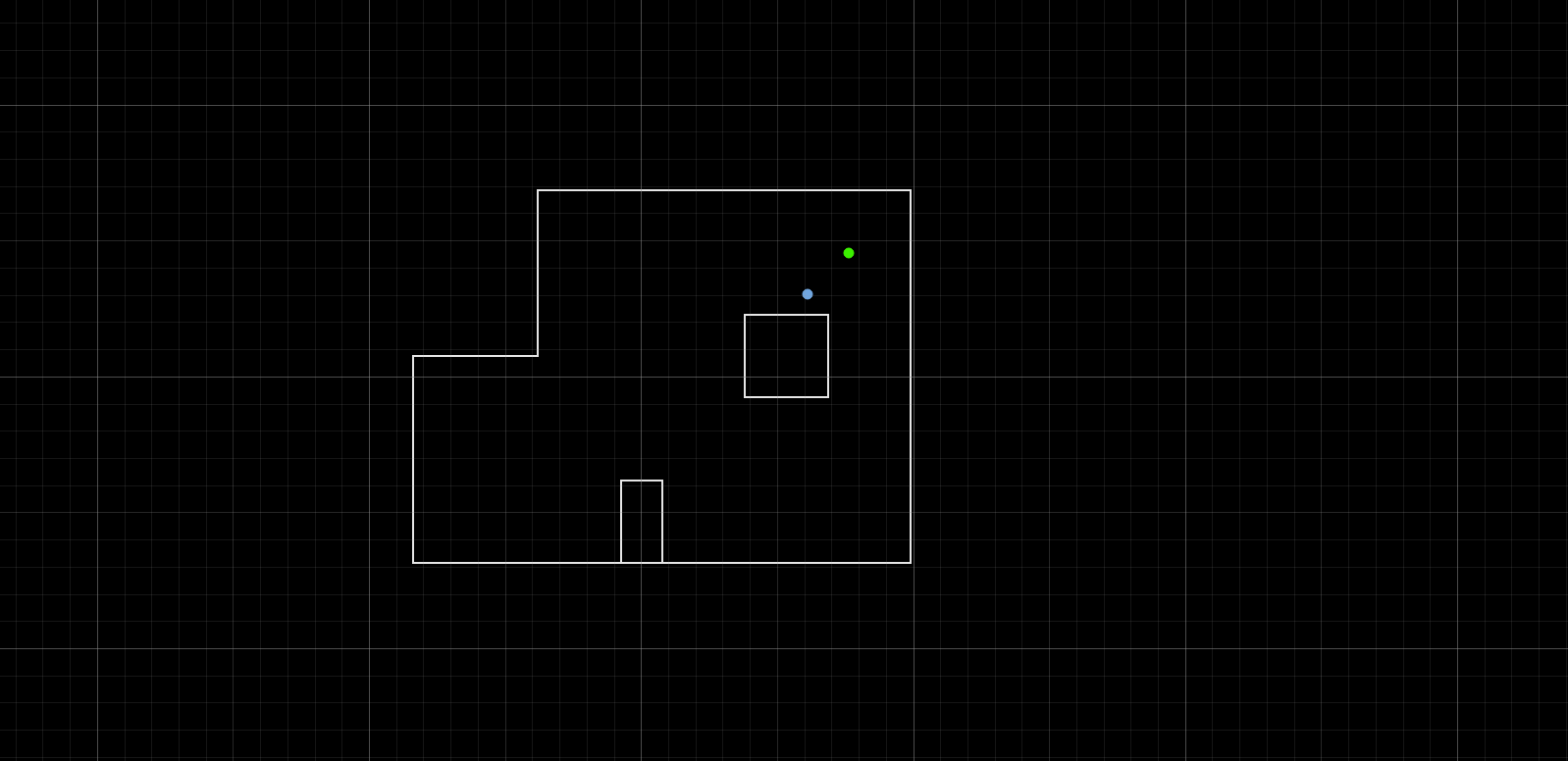
I tested localization at all four marked poses. The green dot represents the ground truth and the blue dot represents the Bayes filter belief after the update step.
(-3 ft, -2 ft)
This pose was the most challenging. The belief consistently landed a quadrant away from the ground truth, sometimes drifting toward the far right region of the map. I think this is because the left side of the map is geometrically less distinctive — the distances to the surrounding walls are similar to other parts of the map, making it hard for the filter to identify this position.
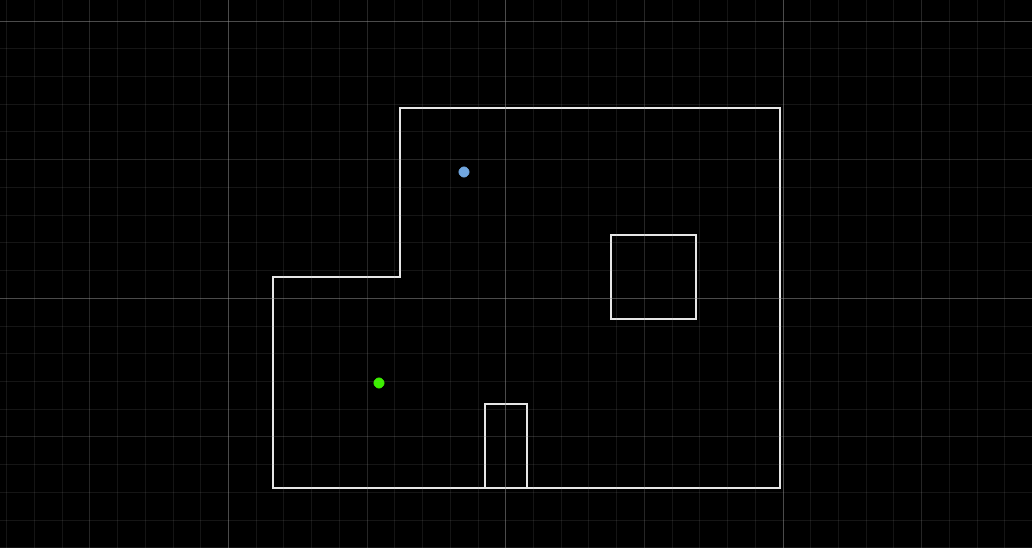
( 0 ft, 3 ft)
This pose localized reasonably well, with the belief landing close to the ground truth. The upper wall nearby provides a distinctive close reading that helps anchor the filter.
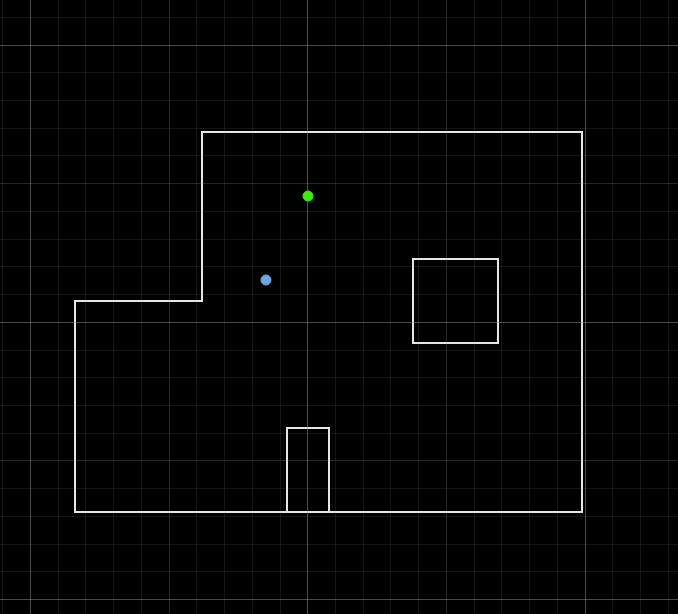
(5 ft, -3 ft)
Good result here. The belief was relatively close to the ground truth. The combination of the right wall and the inner box obstacle creates a distinctive sensor signature that the filter matches well.
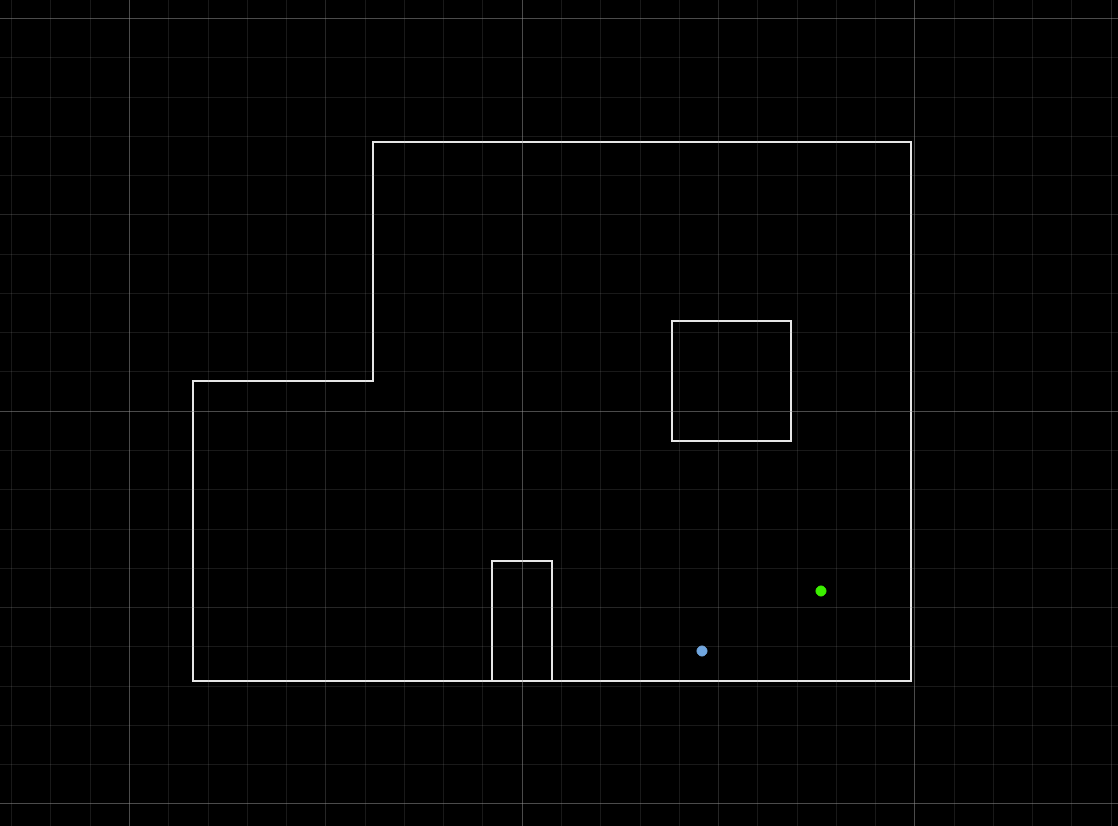
(5 ft, 3 ft)
Also a good result, with the belief landing near the ground truth. Similar to (5, -3), the right side of the map has enough geometric features to localize well.
Discussion
Overall the Bayes filter worked reasonably well on the real robot, with 3 out of 4 poses localizing within the quadrant of ground truth. The (-3, -2) pose was by far the hardest, and I believe it is because of the geometry of that part of the map. The left side of the arena is relatively open and symmetric — the distances to the surrounding walls are similar to other regions, so multiple grid cells produce similar expected sensor readings and the filter can’t uniquely identify the position.
The other three poses at (0, 3), (5, -3), and (5, 3) performed better, though still not perfect due to drift. Because the robot is a differential drive, it doesn’t spin perfectly in place — one side consistently had less traction than the other, causing the robot to translate slightly during the scan. This means the ToF readings are taken from shifted positions compared to where the filter expects them, introducing error across all poses. This error compounds over a full 360 turn. I did try checking the sensor readings and it was working correctly. I also tried adjusting the sensor tilt, taking more or less measurements, adjusting the speed of my motors and the PID parameters and obtained very similar results each and every single time.
Conclusion
Lab 11 combined the Bayes filter from Lab 10 with the mapping scan from Lab 9 to localize the real robot. The biggest takeaway was how much physical imperfections matter — wheel drift during the rotation scan shifted the ToF readings away from their expected positions, introducing error across all four poses. This lab was a satisfying coming together of many systems we’ve built throughout the semester — the orientation PID, the mapping scan, and the Bayes filter all coming together at once. Given the inconsistency of my results I don’t think my localization is reliable enough to support a full navigation task for Lab 12, so I’m planning to implement an inverted pendulum for the next lab.
References
I referenced Stephan Wagner’s lab for structure and writeup expectation. I also attended Julie’s and Jack’s office hours for multiple trials.